Processes
The Processes page allows an operator to view all processes that are configured in the system.
Processes are typically created per client, but can be configured at any level of granularity, depending on the business processes and use cases. For example, there could be only one process for all transactions, or a separate process for each different type of transaction service, or a separate process for each business partner, and so on.
Process configuration is performed by an Electrum implementation team. The details required to establish a new process is determined as part of the analysis for a project.
View Processes
View the list of processes
In the Electrum Console, navigate to the Finance tab.
The Processes page displays the list of all processes configured in the system.
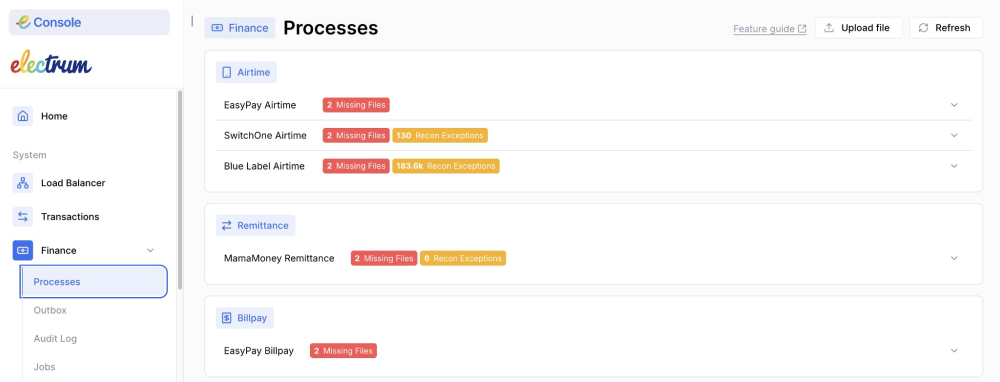
View details of a process
On the Processes page, click on a process from the list.
Click on a service card to expand and select View Files.
For each process, an operator with the appropriate permissions can view the following tabs:
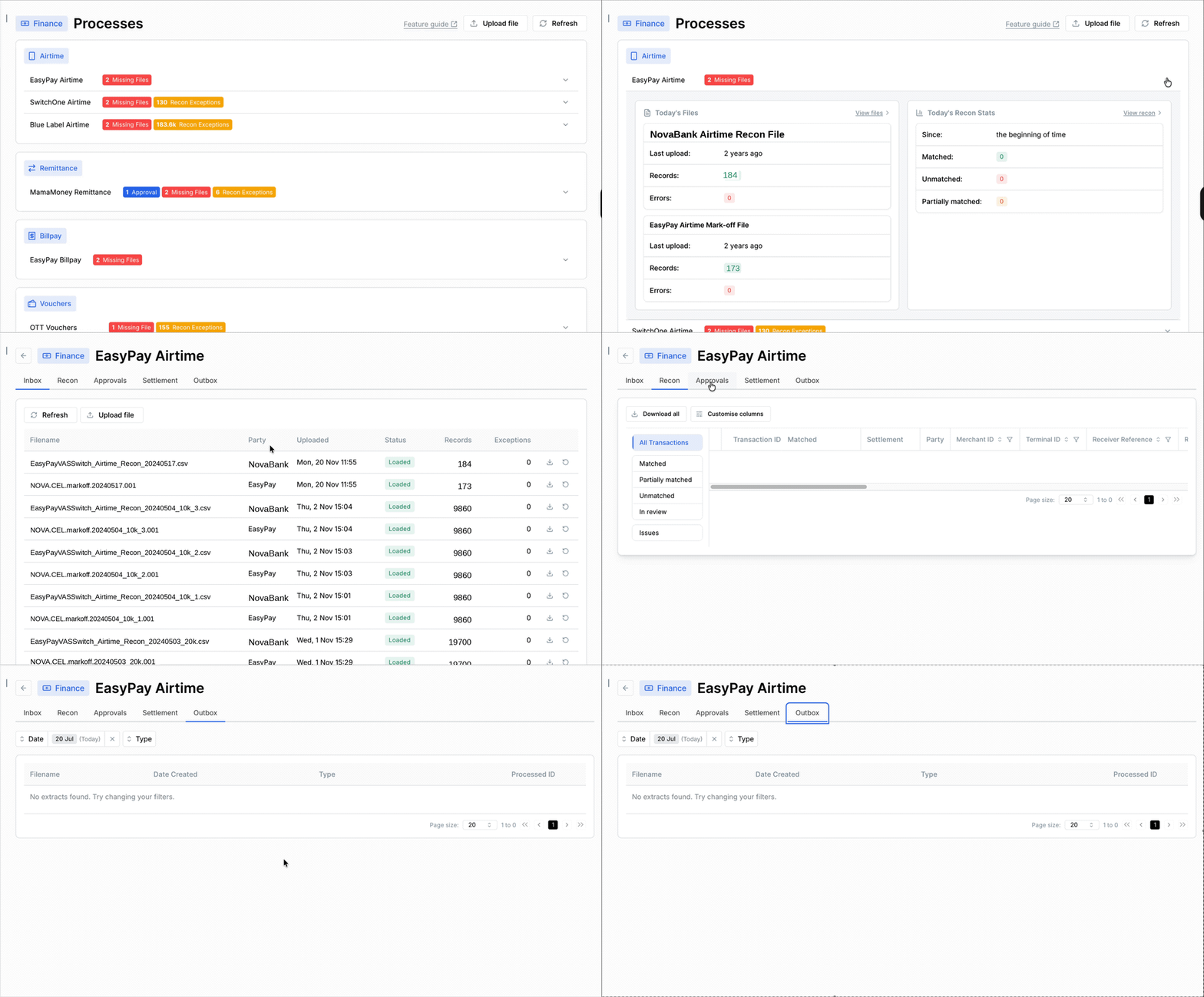
Process configuration details cannot be viewed or changed in the Electrum Console. Contact Electrum Support if any process configuration needs to be adjusted.
Upload Files Manually
Processes are usually configured to consume files containing transaction records automatically from a designated source, but the Processes page allows an operator to manually upload files. An operator can upload a file to a single process or to multiple processes simultaneously.
Uploading files via the Processes page requires approval from an Admin user with Approval permissions.
To upload a file for one or more process
On the Processes page, click the Upload File button.
Select the file to upload from the file explorer and then click Open.
Select the process to add the file to.
Add a comment. This comment will be visible to the approver, who must finalise the upload action.
Click Continue.
- If successful, a confirmation message displays and the upload action is registered in the Approvals tab for an approver to approve.
- If unsuccessful, an error message displays.
- After the upload is approved, the file appears on the Inbox tab. If it does not display immediately, click refresh.
To troubleshoot a failed file upload, navigate to the Inbox tab for the relevant process.
Kafka Event Postings
Kafka is an event streaming platform that enables real-time event publishing, storing, and processing of event data. Electrum as well as some external systems are able to make generate these events instead of mark-off files to share transaction data for transactional reconciliation purposes. The events are informational in nature and are not used for online payments processing, but contain transaction payloads and associated details that can be consumed by Electrum for reconciliation.
View details of the Kafka event tab
If your system uses Kafka events for recon, you can view the event topics by navigating to the Processes tab:
You will see the event topics when you click on the dropdown arrow on the far right side, as shown below:
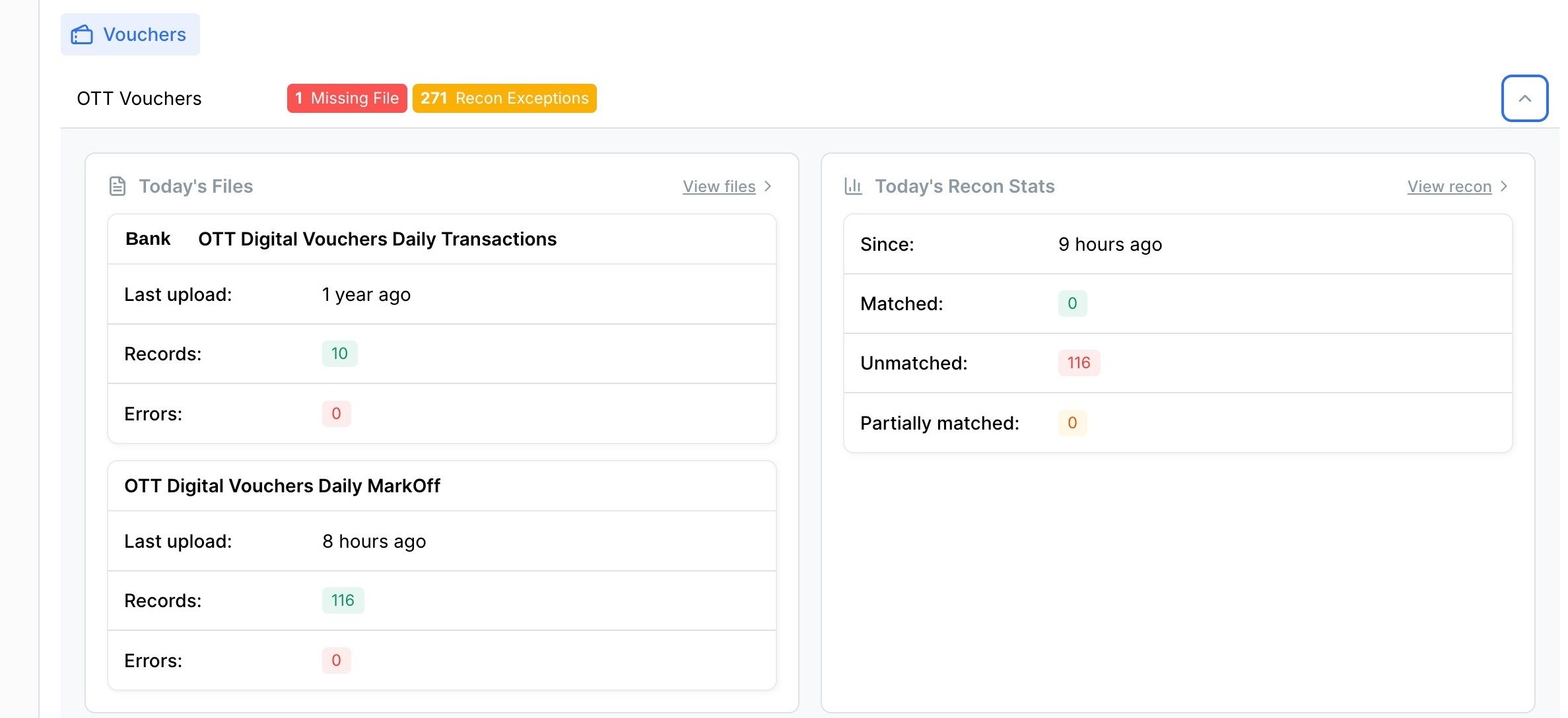
If an event contains errors, the system lists them in the exceptions file (shown in the Exceptions column). You only need to correct and resubmit that specific event (no rollback required). The system continues to process all other events without interruption.
The Uploaded column in the interface shows when Electrum began consuming events, not when we received the latest event.
Navigate to the Events Publisher page to learn more about this feature.