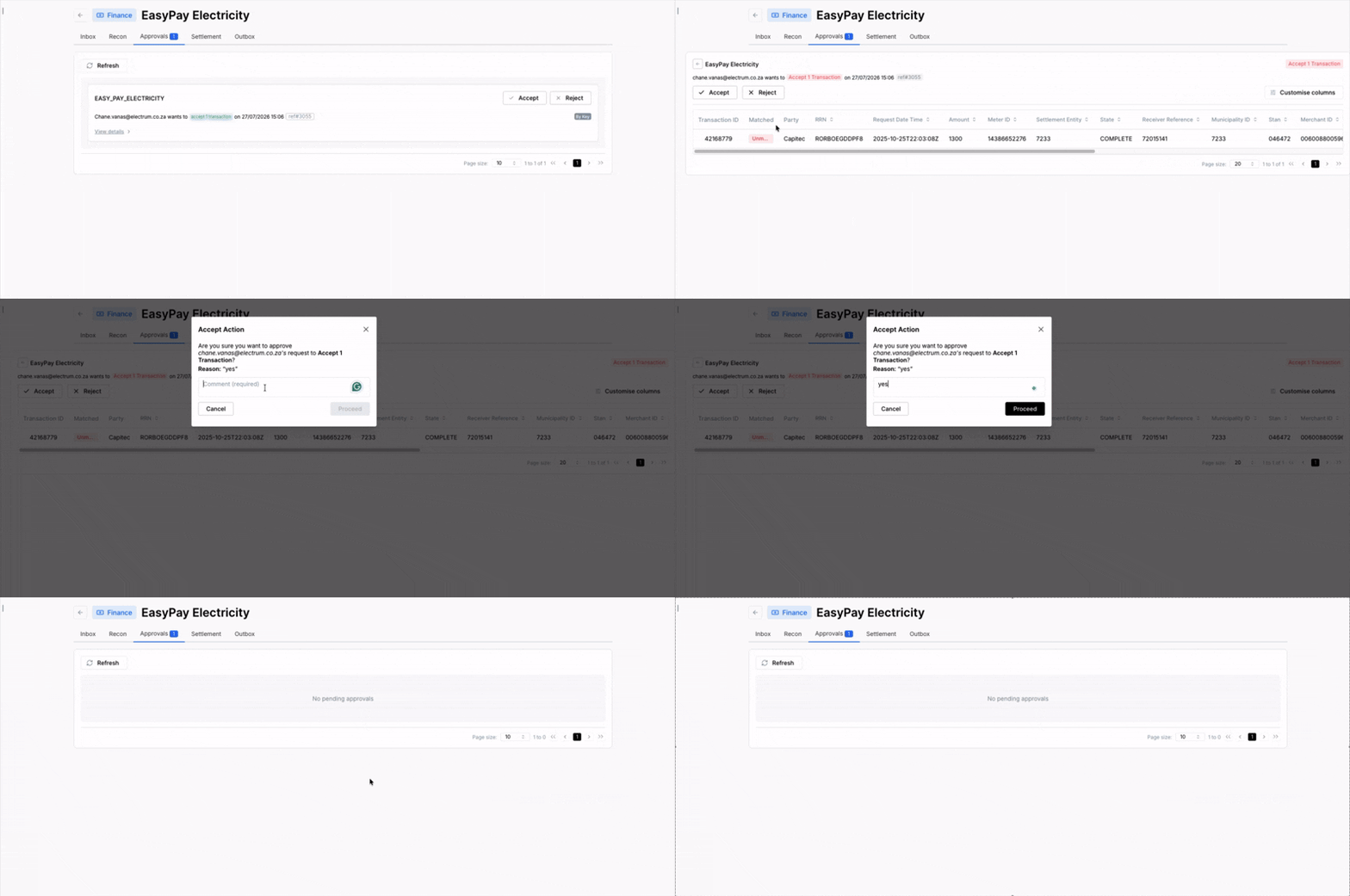
Approvals
The Approvals tab of a process shows all actions related to the process that are pending approval by an operator with approval permissions.
Actions that are listed in the Approvals tab include:
- Manual file uploads performed on either the Processes page or an Inbox tab of any process.
- File rollbacks performed on the Inbox tab of any process.
- Unmatched transactions that have been accepted or rejected on the Recon tab of any process.
- Partially matched transactions that have been resolved or rejected on the Recon tab of any process.
Reviewing a File Upload Action
To approve a file upload action
- In the Approvals tab, identify the file upload action that can be approved or rejected.
- Click the 'approve' or 'reject' button.
- Enter a note to explain the reason for approving or rejecting the action.
- Click Proceed.
The file is then parsed and will be visible in the Inbox tab.
Reviewing a File Rollback Action
To approve a file rollback action
- In the Approvals tab, identify the file rollback action that can be approved or rejected.
- Click the 'approve' or 'reject' button.
- Enter a note to explain the reason for approving or rejecting the action.
- Click Proceed.
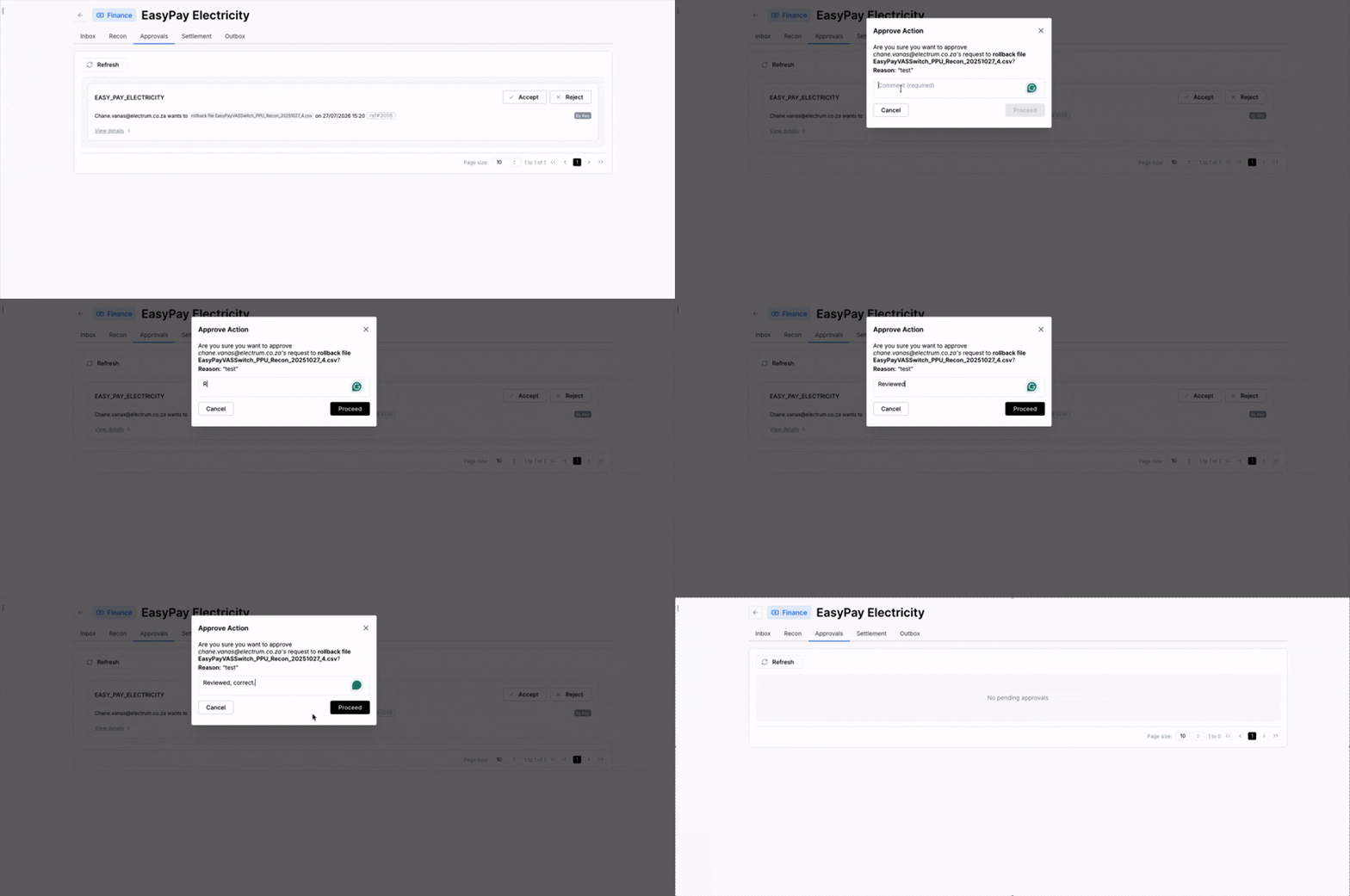
The file and all the records in it are deleted. If a transaction record from the file being rolled back matched another record, then that record will become unmatched.
Files that contain transaction records that have been settled cannot be rolled back.
Reviewing a Transaction Exception Action
A transaction that has been manually accepted, resolved, or rejected in the Recon tab will remain with a recon status of 'unmatched' or 'partially matched' until the action is approved or rejected by another operator with the appropriate approval permissions.
Actions approved by an approver
- If a transaction exception action is approved, then the action is applied to all transactions that were included in the action submitted for approval.
- For 'accept' or 'resolve' actions that are approved, each transaction’s recon status is changed to matched and the transaction’s settlement status is changed to pending as the transaction proceeds to the settlement stage.
- For 'reject' actions that are approved, each transaction’s recon status is Rejected and the settlement status is kept as issue.
Actions rejected by an approver
- If a transaction action is rejected, then the action is not applied to any of the transactions managed by the action.
- For 'accept' actions that are rejected, each transaction’s recon status is kept as unmatched and the transaction’s settlement status is kept as issue.
- For 'resolve' actions that are rejected, each transaction’s recon status is kept as partially matched and the transaction’s settlement status is kept as issue.
- For 'reject' actions that are rejected, each transaction’s recon status remains unchanged (unmatched or partially matched) and the transaction’s settlement status is kept as issue.
To approve or reject a transaction action without further review
- In the Approvals tab, identify the transaction action that can be approved or rejected.
- Click the 'approve' or 'reject' button.
- Enter a note to explain the reason for approving or rejecting the action.
- Click Proceed.
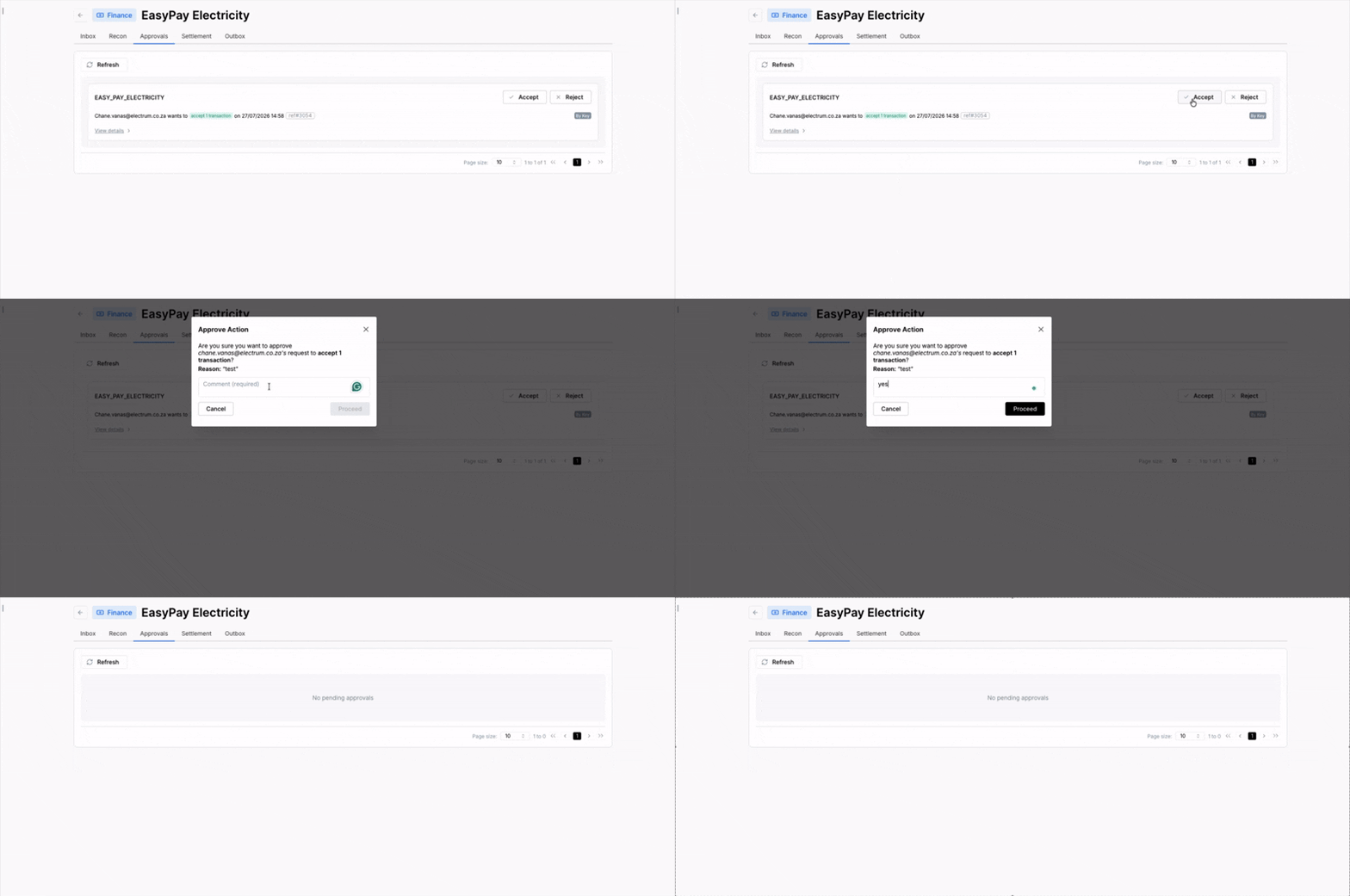
To review and approve or reject a transaction exception action
- In the Approvals tab, identify the action to review.
- Click anywhere on the action label.
- Review the details of the action as well as the transactions to which the action pertains.
- Click the approve or reject button.
- Enter a note to explain the reason for approving or rejecting the action.
- Click Proceed.