Utility Management User Guide
View and manage your Prepaid Utility routing preferences.
View Your Prepaid Utility Routing Preferences
- Log in to the Electrum Console.
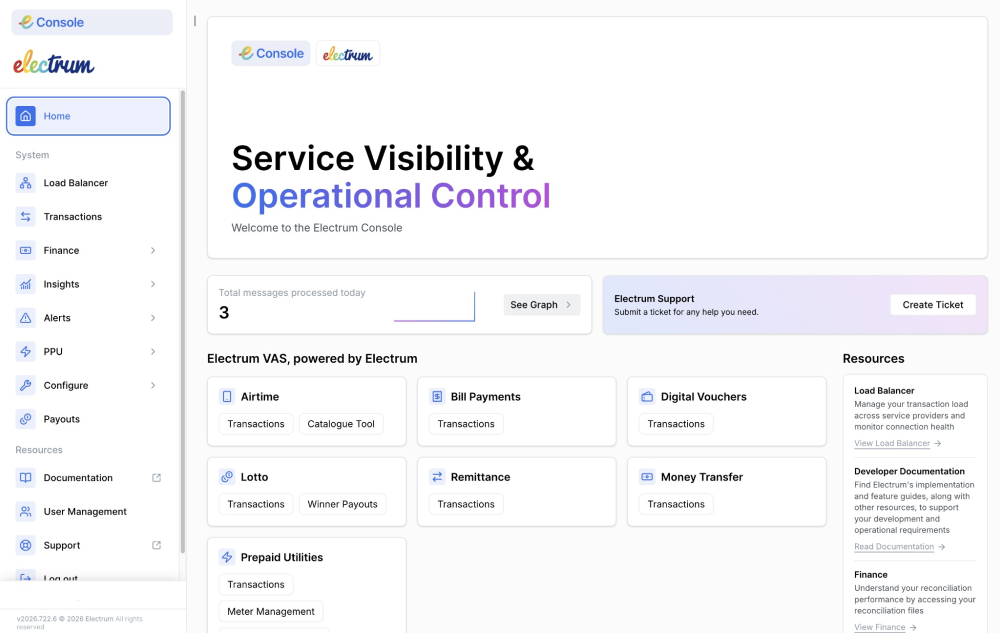
On the left-hand sidebar, click on PPU.
Select Utility Management from the expanded menu. This will take you to the Utility Management page.
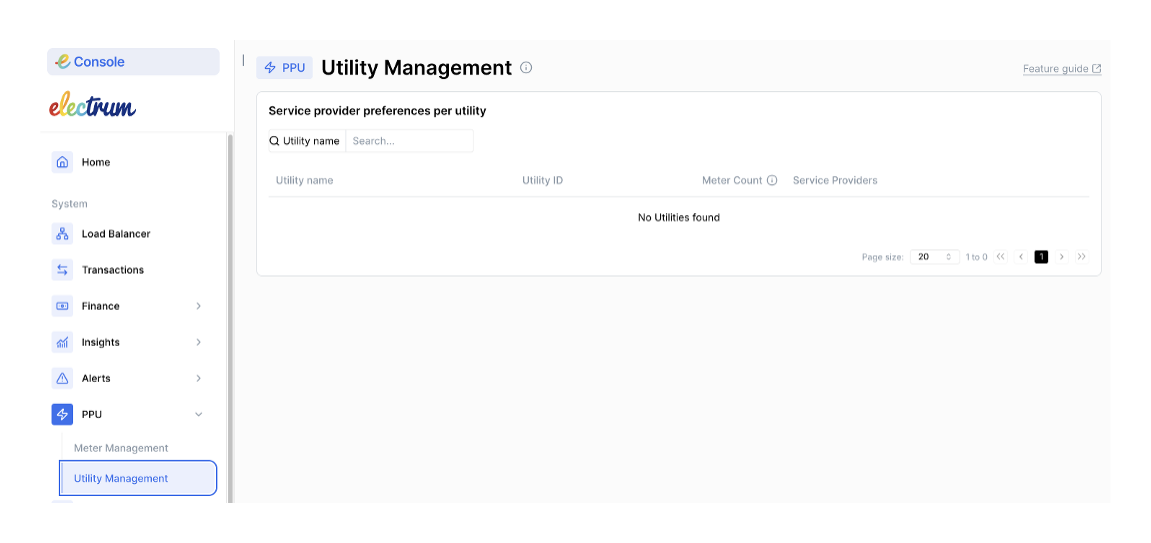
- You will see a list of utilities (e.g., Tshwane, Eskom, Cape Town). You can search for a specific utility.
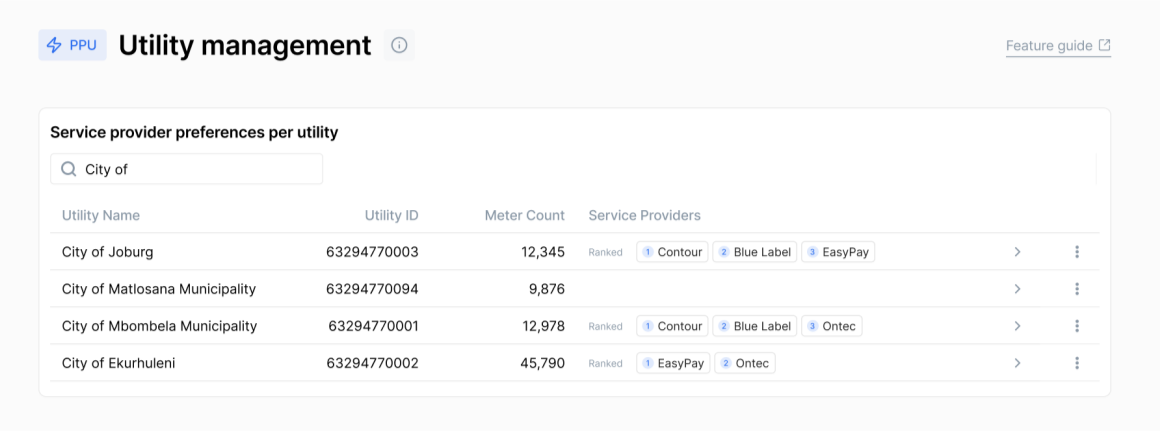
- Click on the arrow at the far right of each utility row to see a full list of the providers that serve the utility, and the provider rankings and statuses. The table below describes the terms you will see on this screen and what they mean.
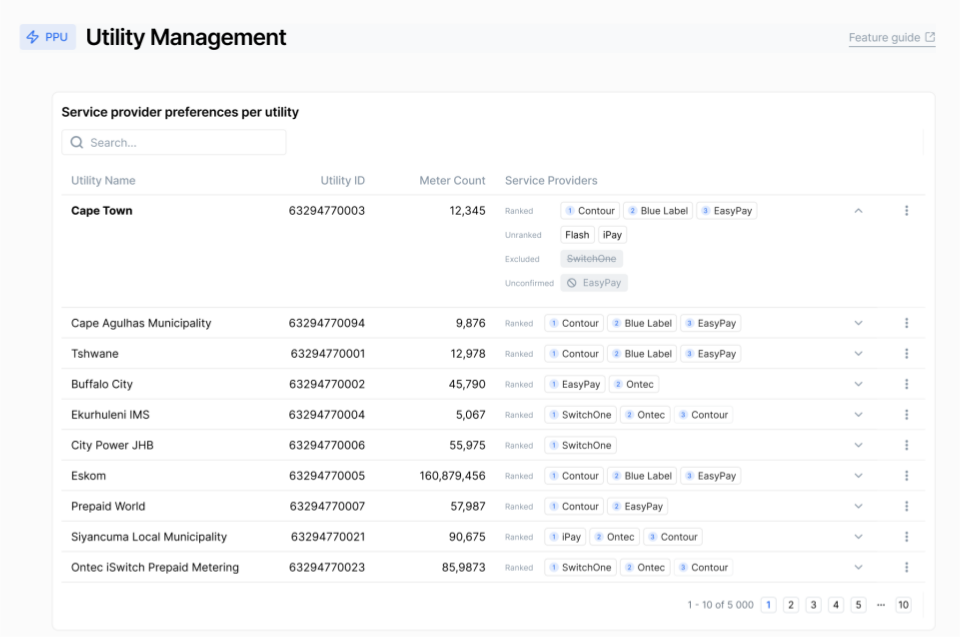
| Feature/Service Provider Status | Description |
|---|---|
| Utility name | The name of the utility or municipality under which the meters fall. |
| Meter count | The number of meters in that utility. This provides a view of the impact of any routing decisions. |
| Ranked | Providers that are ranked in a priority list for routing. Transactions will preferentially be routed to providers with a ranking of 1. If provider no. 1 is not available, then the transaction is routed to no. 2, and so on. |
| Unranked | Providers that are not ranked in a priority list for routing. If a transaction must be routed to these providers then the system uses the default load-balancing. |
| Excluded/disallowed | Providers that are blocked from that utility for contractual reasons. |
| Unconfirmed | It is not known whether the provider can service that utility or not. |
Manage Your Prepaid Utility Routing Preferences
Routing preference management is a new feature that Electrum is offering and may not be available in your Console environment yet.
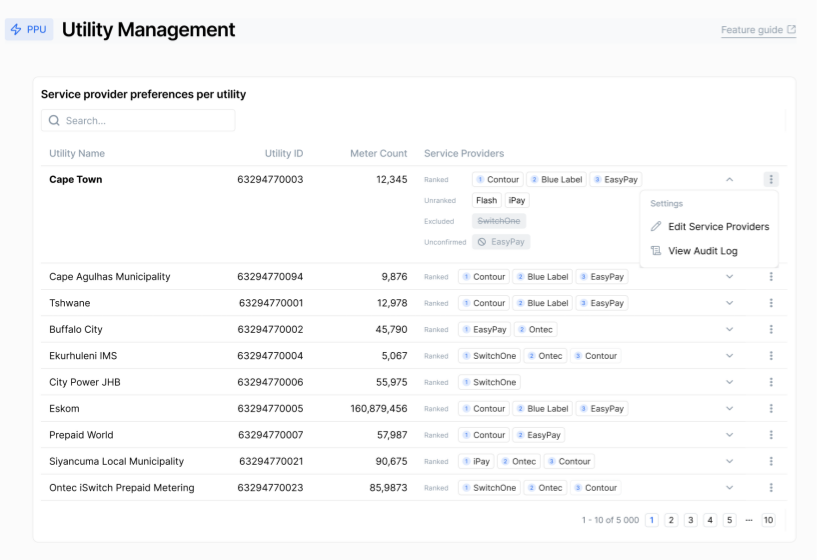
To change the priority or status of providers for a specific utility, from the Utility Management page:
Find the utility you wish to manage (e.g., City of Joburg) from the list of utilities on your screen.
Click the three vertical dots on the far right of that row.
Select Edit Service Providers.
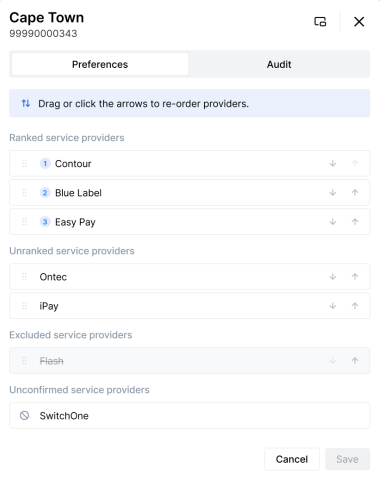
The Preferences modal opens. It will show the current status of your service providers - which ones are ranked, unranked, unconfirmed, and excluded.
Drag and drop the service providers, or use the up and down arrows, to change the rankings and/or statuses of your service providers. You can:
- Change the priority order of your ranked service providers.
- Move providers from the ranked to unranked category, or vice versa.
- Move providers from the ranked/unranked to the excluded category, or vice versa.
You can not move service providers from or into the unconfirmed category.
- Enter a Comment and click Save to apply your changes.
View the Audit Log
The routing preference audit log is a new feature that Electrum is offering and may not be available in your Console environment yet.
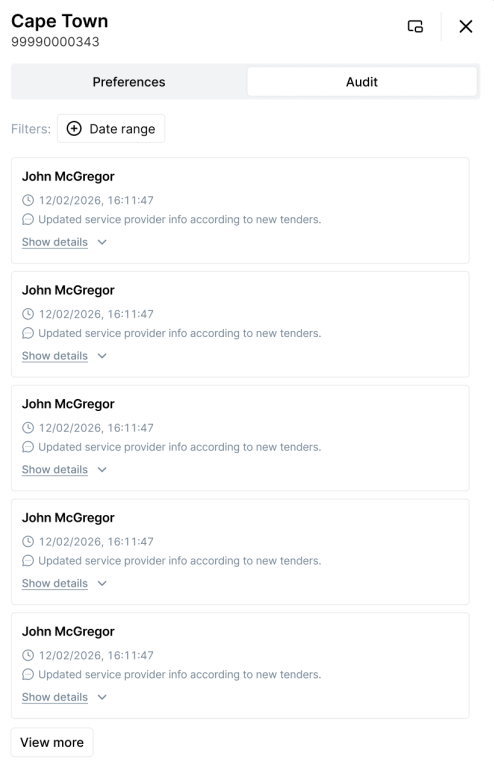
The system automatically stores any routing preferences made at any time by any user. This allows you to keep track of all changes that your team and the Electrum Support team have made.
To track historical changes made to routing preferences, from the Utility Management screen:
Find the utility you wish to manage from the list of utilities on your screen.
Click the three vertical dots on the far right of that row.
Select View Audit Log. (You can also access the audit log when you select Edit Service Providers and the Preferences modal opens up - click Audit.)
. Select a date range using the Filters calendar. This will return a list of changes made during that time period, and who made the changes, and when.