Prepaid Utility Meter Lookup and Rebroadcasting User Guide
Look up a Meter
Log in to Electrum Console using your institution details.
Select the PPU tab on the left sidebar and then the Meters tab below it. You will see the Meter Management page.
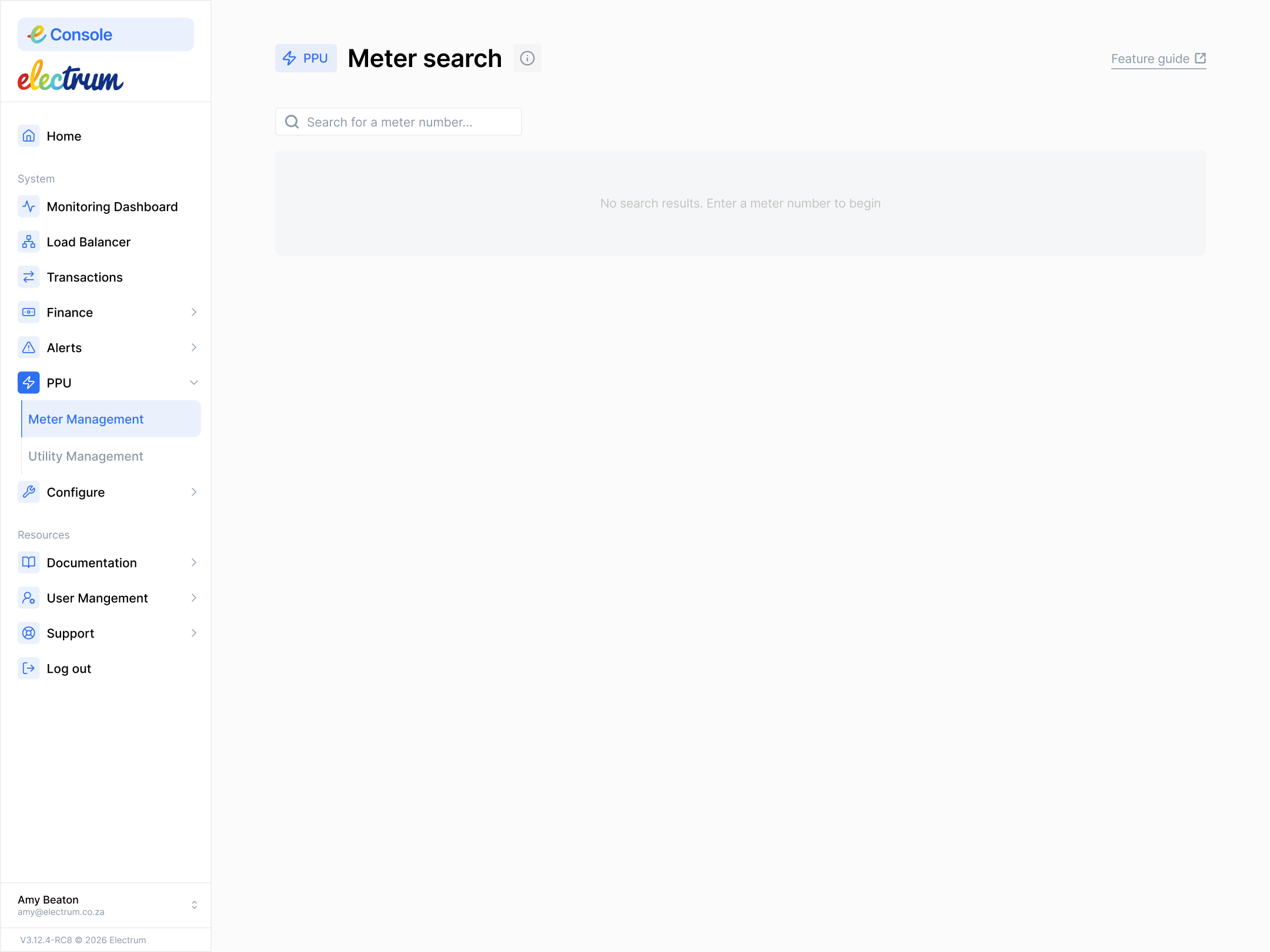
Search for a meter number on the new page. (As you type the number, the system will display a list of possible meters based on the partial number you have entered so far.)
Select the meter number. You will then see a page display for that meter.
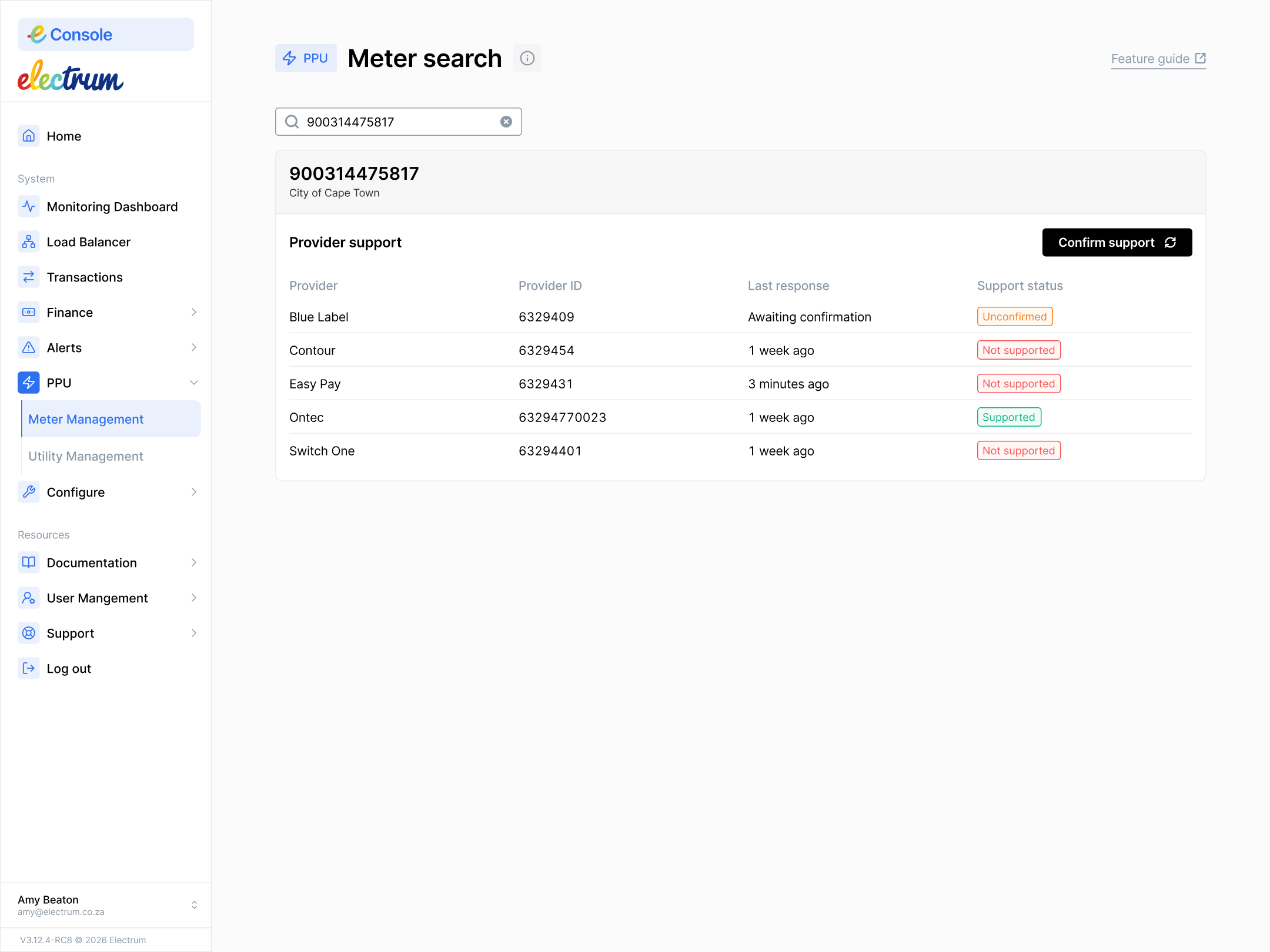
- You will see the meter number and utility. You will also see the following information per service provider:
Provider ID: This is the institution ID of the service provider as assigned by Electrum.
Provider: This is the name of the service provider integrated into this service.
Last response: This is the last time each service provider responded to a meter lookup request.
- The field will display the length of time since the last response if the provider has previously responded to a lookup request. Hover your mouse over the field to see the exact time of last response.
- The field will display 'Awaiting confirmation' if the service provider has not responded since the last lookup broadcast or has never responded.
Support status: This field shows the result of the last lookup meter request per provider, i.e., indicates if the provider supports that meter or not. The possible states for this field are:
- Supported: The service provider responded to the meter lookup request and supports the meter.
- Not Supported: The service provider responded to the meter lookup request and does not support the meter.
- Unconfirmed: The service provider did not respond to the meter lookup request or Electrum has not forwarded the lookup request.
Transactions for a specific meter will generally follow the preferred service provider routing rules, unless the meter is not supported by all providers or if the meter has a specific meter level routing preference. If a meter has not been assigned to any utility then it will show a status of 'Unassigned'. If there is no clear indication that a meter is supported by a service provider, then you can mark the meter for rebroadcasting.
Mark a Meter for Rebroadcasting
This step applies to a specific meter number.
Proceed only if you have confirmed that the service providers are healthy. Refer to the general system health dashboards to do this. If a provider is down or there is a known system issue that affects many transactions, then this step will not resolve the issue.
If a meter is blocked, or is not supported by any service provider that you have enabled, then do the following.
- Click the Confirm support button on the Meter Management page.
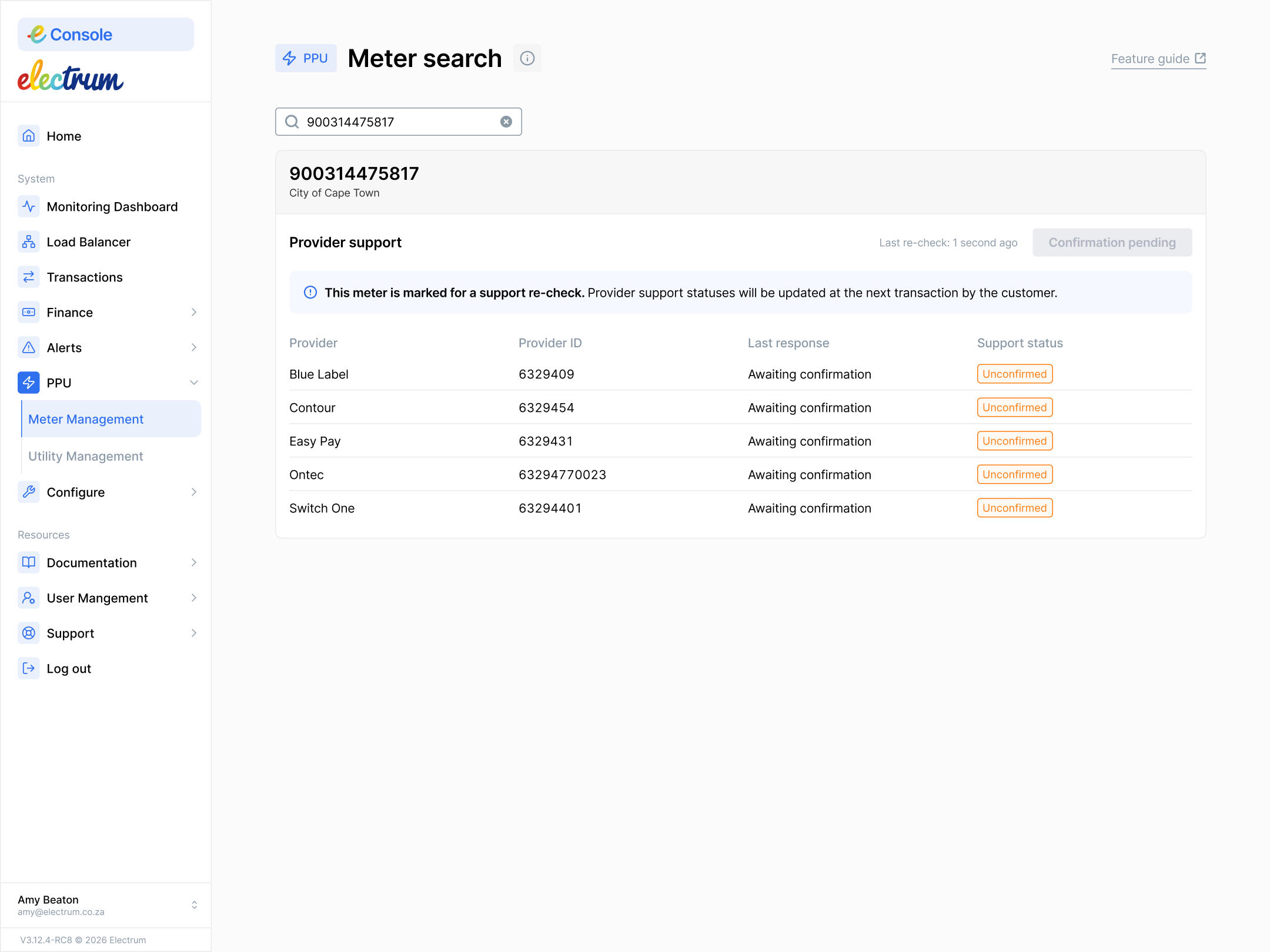
- You will now see the following:
- A message explaining that the meter is marked for rebroadcast (support re-check).
- The Confirm support button will disappear.
- In the Support status column, all service providers who have not explicitly confirmed support for the meter will be marked as Unconfirmed.
You can take no further action from this point. The actual rebroadcast process will only trigger the next time the customer attempts to purchase a Prepaid Utility token, and Electrum receives a meter lookup for that meter.
The Rebroadcasting Process section below describes what will happen in the background and what you will see afterwards.
Rebroadcasting Process
The next time the consumer wants to purchase an electricity token for their meter, the system identifies that the meter has been marked for support confirmation and sends a meter lookup to all providers.
The service providers respond to the rebroadcast query, and the system updates the meter's status per service provider based on these new responses.
On the Meter Management page you will now see that:
- The last lookup response date has been updated to the current date, and the rebroadcast (support re-check) flag has been cleared.
- The support status of the service providers who respond to the meter lookup will no longer show Unconfirmed and will change to either Supported or Not Supported.
- If that meter was blocked during a previous purchase attempt, and a provider who previously responded Not Supported or Unconfirmed now responds Supported, then it means that the meter will be unblocked and the customer will be able to buy a Prepaid Utility token.
- The service providers who do not respond to the meter lookup will remain Unconfirmed until they reply to a subsequent meter lookup, that happens when the consumer tries the next token purchase.
Clicking Confirm support will not instantly solve a blocked meter issue. You will need to wait for the customer’s next attempt to transact before you see results.