Message Flows
The sections below describe successful transaction and error scenarios.
Overview
The QR payment process has the following steps:
- Request and display a QR code (initiation).
- Send a payment authorisation request using this QR code (authorisation).
- Finalise or reverse the payment (confirmation or reversal).
Scan Notifications
Successful QR Code Request
Initiate the request to generate a QR code using the getQRCode operation.
The QR server responds by returning a QR code containing a unique transaction ID tranId.
Display the QR code to the customer, enabling them to start the payment journey by scanning it with their mobile device.
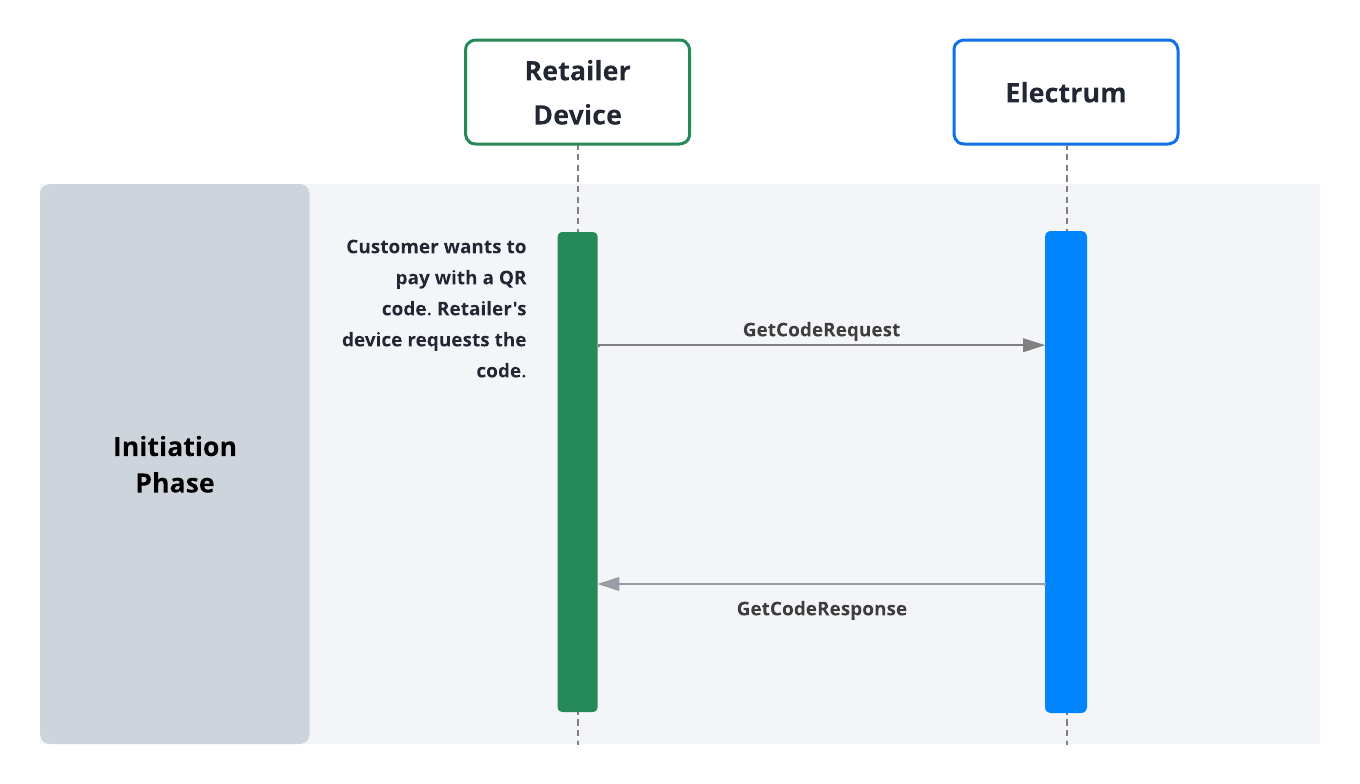
Once the customer scans the QR request, the authorisation and confirmation phase takes place.
Authorisation and Confirmation
Request Payment
After a successful initiation, the system uses a dual message flow consisting of two messages:
A payment authorisation request
PaymentRequestasks the payment provider to reserve funds for the transaction. This request includes the unique ID encoded in the QR code, which will match thePaymentRequestto the QR scan.The system sends one of the following two advice messages ‘offline,’ via store-and-forward queue:
- A
ConfirmationAdviceinforms the payment provider that the was successful, and the funds should be withdrawn. - A reversal
PaymentReversalindicates that the tender was not completed, and the reserved funds should be released.
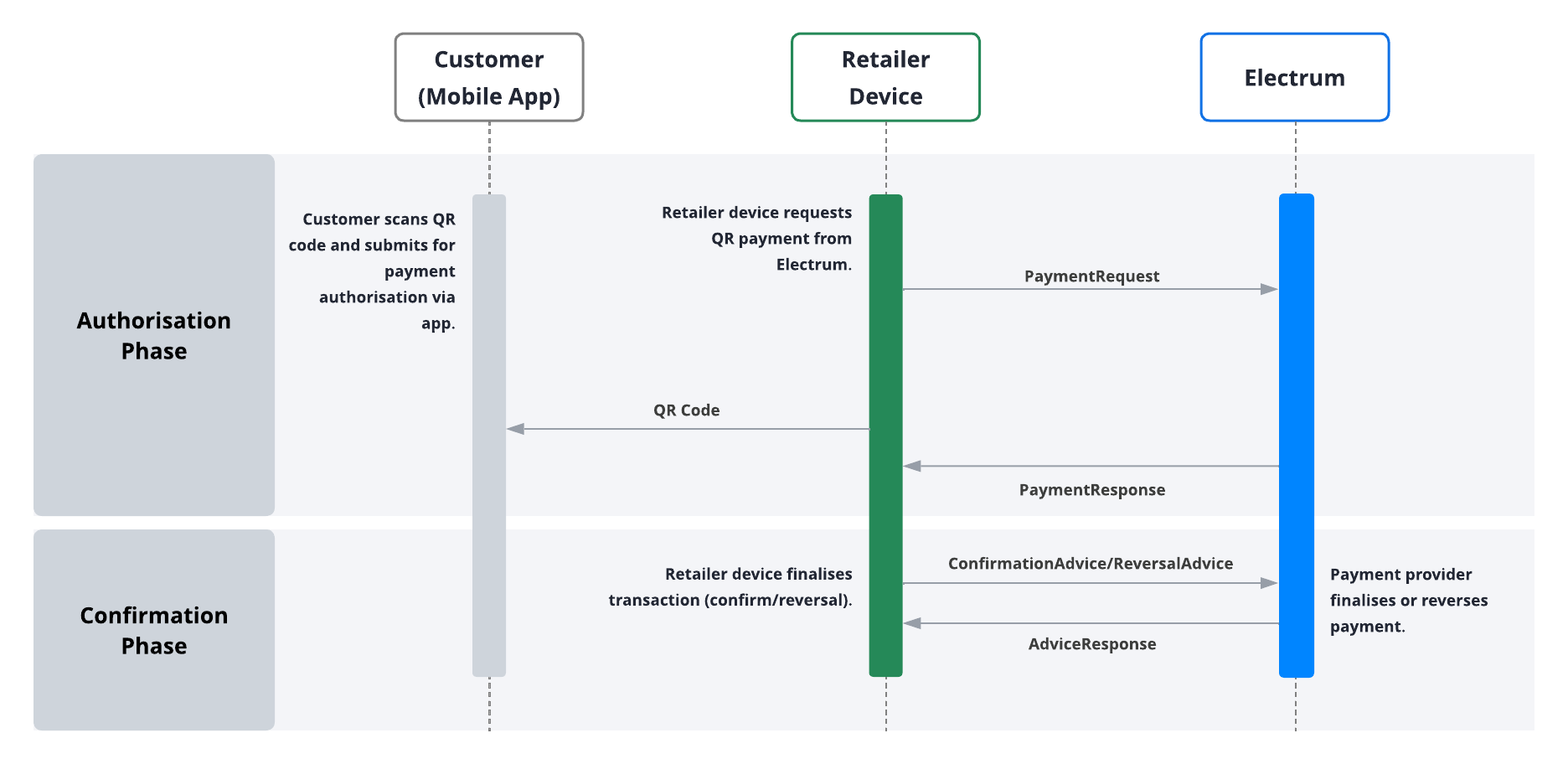
Always send the PaymentRequestupstream before displaying the QR code to the customer for scanning. This prevents the customer from scanning the QR code before the PaymentRequestis sent. If the customer scans the QR code first, it becomes impossible to match the PaymentRequest to the QR scan, resulting in a failure of the tender.
Error Scenarios
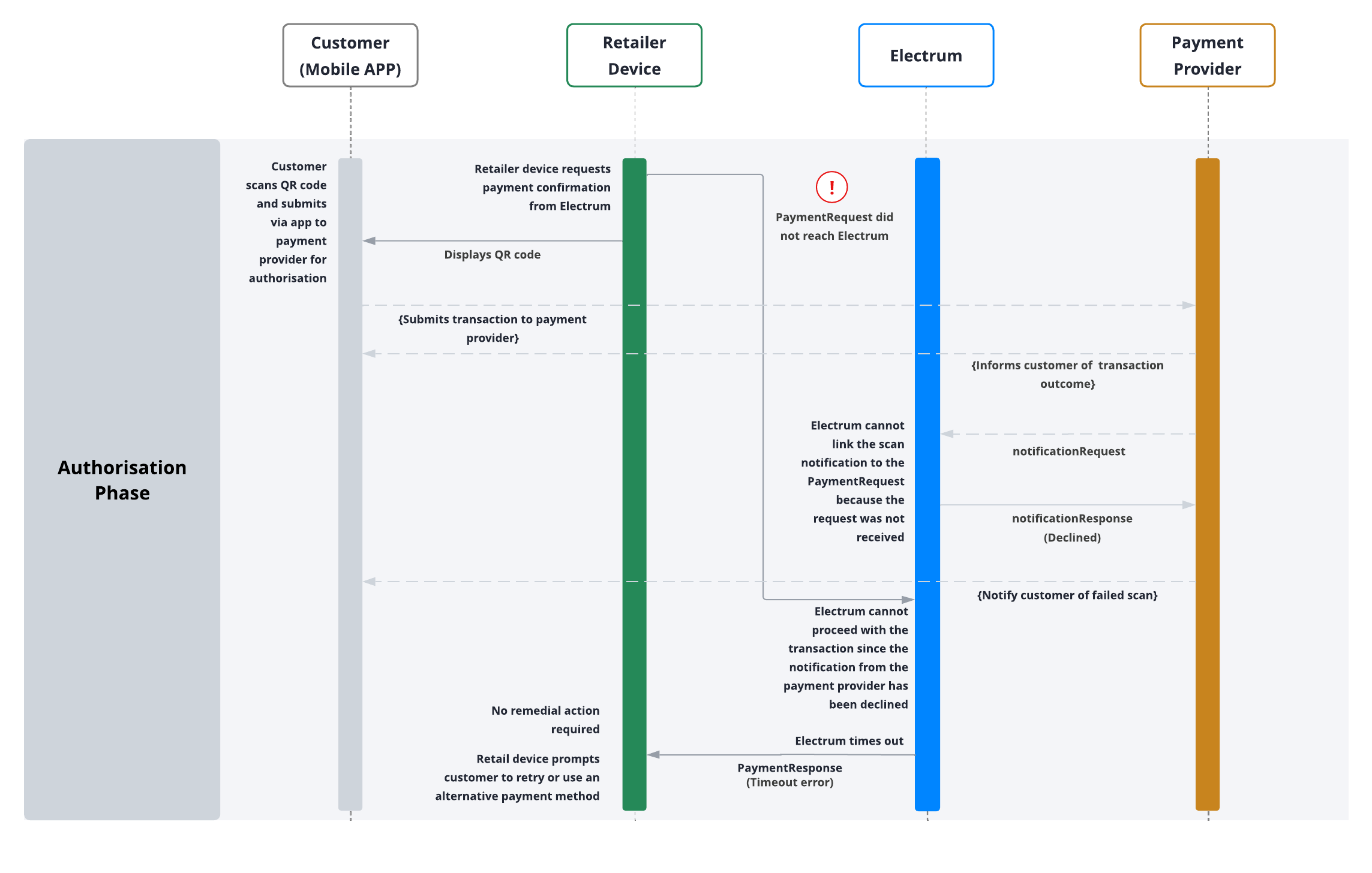
Early Notification from Payment Provider
Below is a flow illustrating a scenario where a PaymentRequest arrives after the QR code has been scanned:
Tender Voids and Timeout Reversals
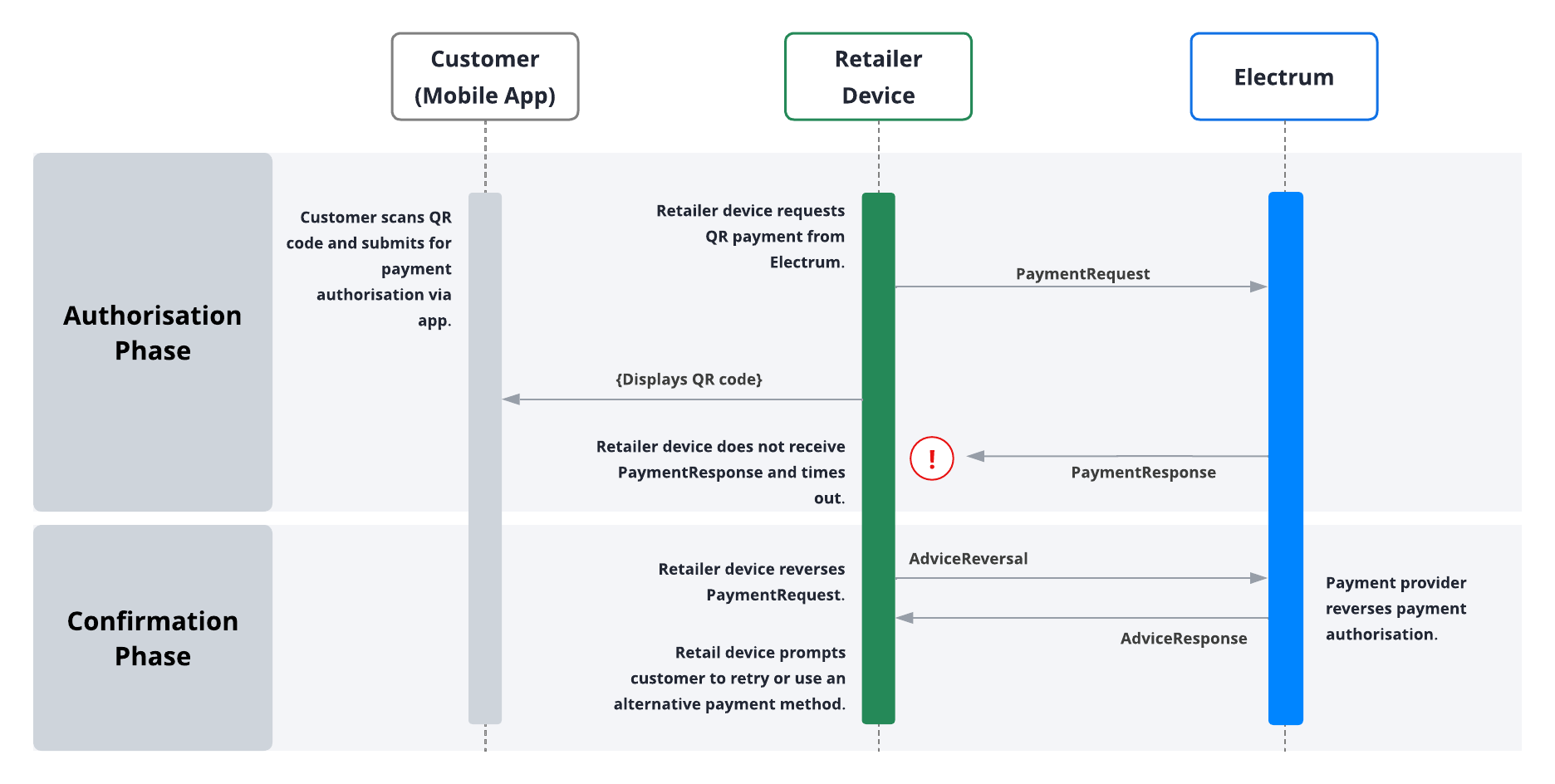
A payment authorisation (PaymentRequest), can be reversed or revoked through a PaymentReversal. You will initiate a PaymentReversal in one of the following scenarios:
When you need to cancel a successfully processed payment authorisation. This may occur if the customer decides not to proceed with the transaction, if the POS malfunctions, or if the cashier cancels the basket.
If you do not receive a response for a
PaymentRequestand the status of the transaction remains uncertain. In this case, you should send aPaymentReversalas a ‘timeout reversal’ to ensure it is safe to assume the transaction did not go through. Remember, thePaymentReversalwill be subject to the store-and-forward (SAF), queue, which guarantees that this transaction will eventually be reversed.
Use reversals only to address system issues or revoked transactions, not as a general refund mechanism. Customer refunds and returns of goods are outside the scope of this document.